

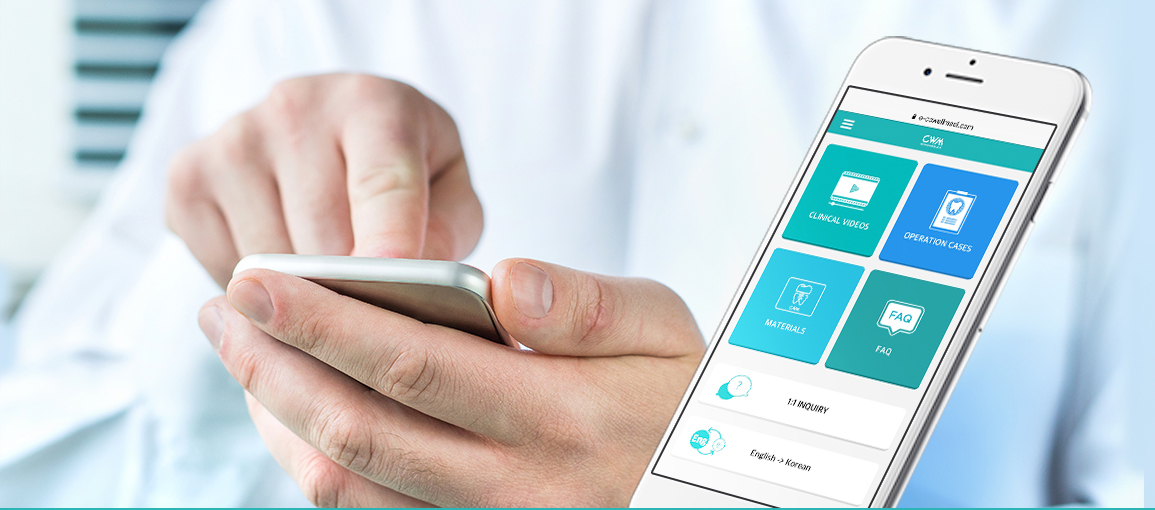
Cowellmedi offers variety of procedures and
videos on your mobile!

Use e-cowellmedi as follows :
 Use like an app for android
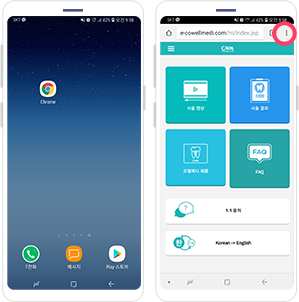 1. Access to e-cowellmedi.com in Chrome.
Click the menu bar in the upper right
hand corner of the screen.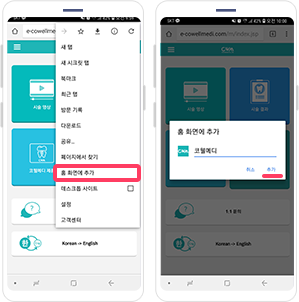 2. Click ‘Add to home screen’.
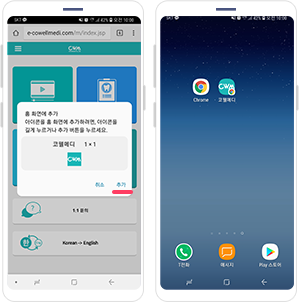 3. Click add in the pop-up window then
you can easily access the e-cowellmedi
via icon added to the home screen.
 Use like an app for ios
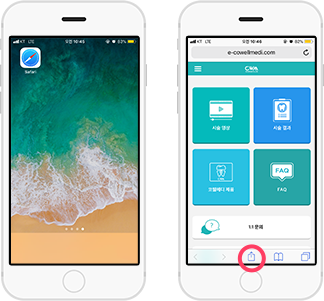 1. Access to e-cowellmedi in Safari.
Click share button at the bottom.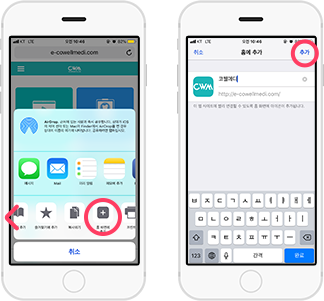 2. Slide the bottom bar to the left to select
the 'Add to home screen.' Rename for
the icon and click ‘Add’.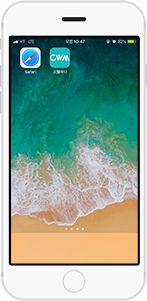 3. e-cowellmedi is now easily
accessible via icon added to
the home screen.